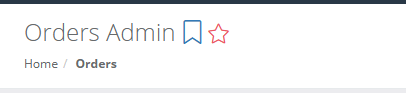
By default, when you log in, your experience starts on the Dashboard page. If you find yourself immediately clicking a link to go to the Procedures page, Inventory page, etc., you may want to change your start page. This will allow you to login and be immediately taken to the page you use most. You can always get to the Dashboard using the navigation bar. To set a particular page as your start page, just click the blue bookmark icon next to the page title. Next time you log in, you’ll be taken to this page. At any time, you can select the icon on another page to change your start page, or you can deselect that icon to revert back to the Dashboard as your start page.
You can also create your own custom left navigation by selecting the pages you want as favorites to build out your personalized list of links at the top of the left navigation area. On any page, click the red star near the top of the page to mark it as a favorite and include it in your left navigation. Note that this feature isn’t visible until you add at least one favorite.
You can also change the theme if you prefer to view AMSHub in Dark Theme. Click the moon icon at the top of the screen anywhere in AMSHub to try out the Dark Theme. AMSHub will remember your current theme and default to that until you switch.